Back to Home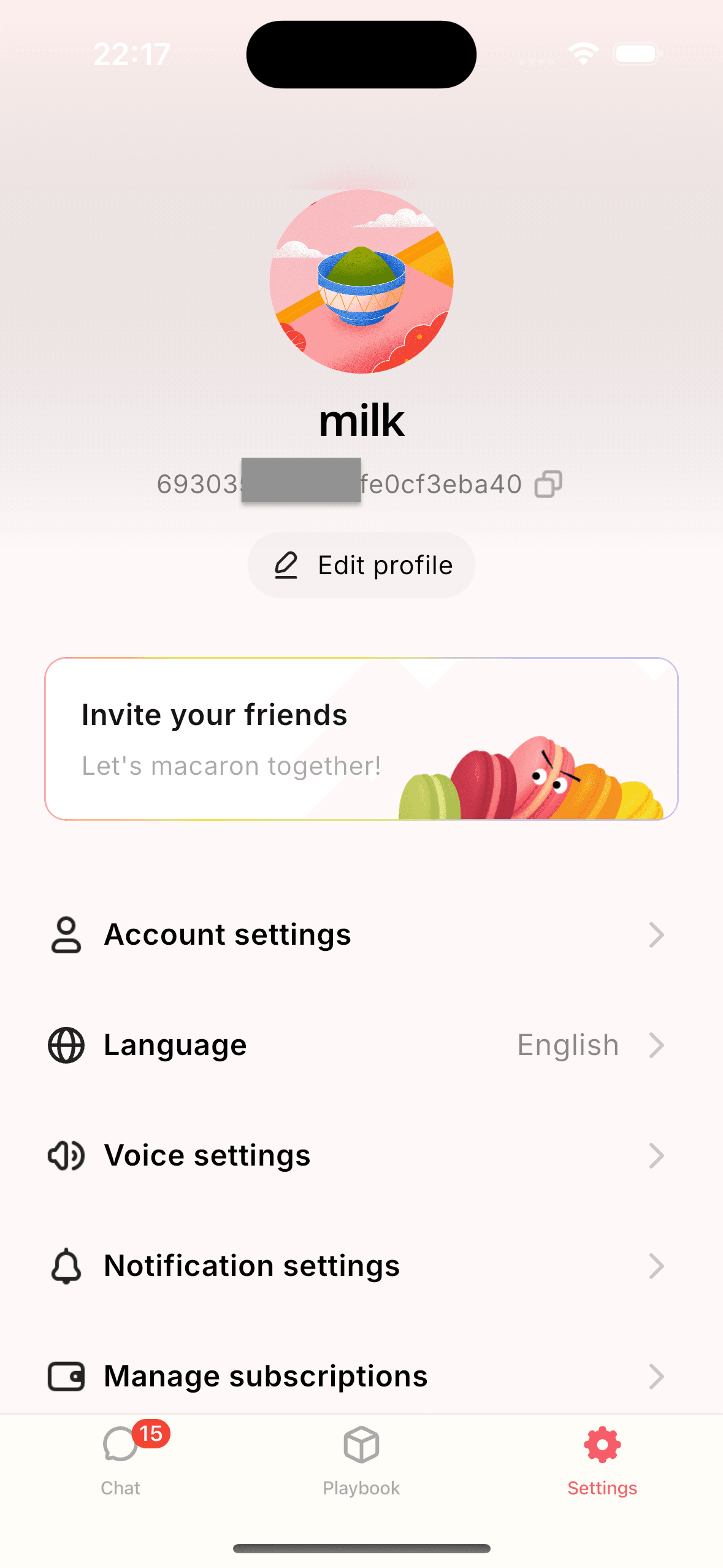
Account Deletion Request
Macaron AI Tools
Overview
In accordance with Google Play Store policies, we provide this page to explain how you can request the deletion of your account and associated data. If you have created an account with Macaron AI Tools, you have the right to request its deletion along with any personal data we may hold.
How to Delete Your Account
Step 1: Open Account Settings
Go to the Settings tab and tap on Account settings.
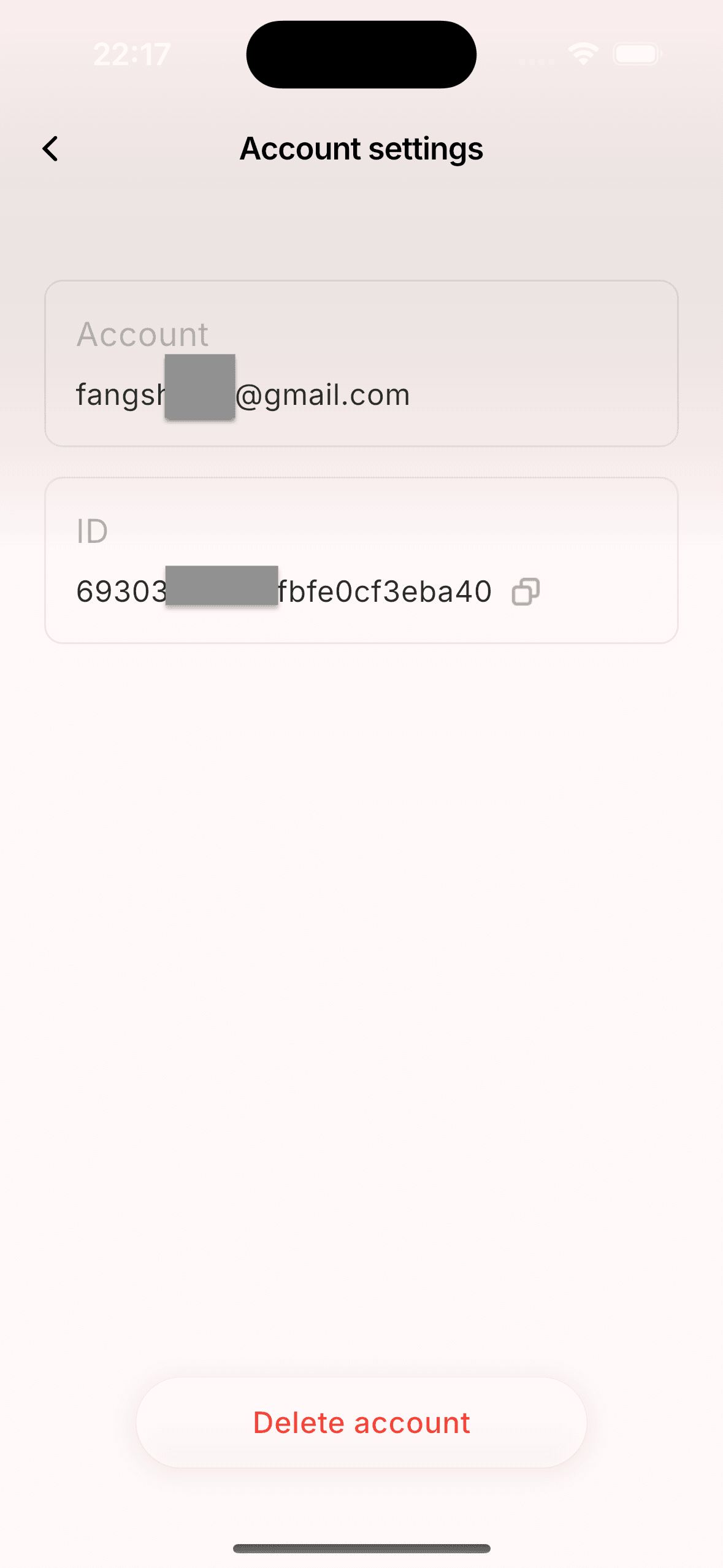
Step 2: Select "Delete Account"
Tap the Delete account button at the bottom of the page.
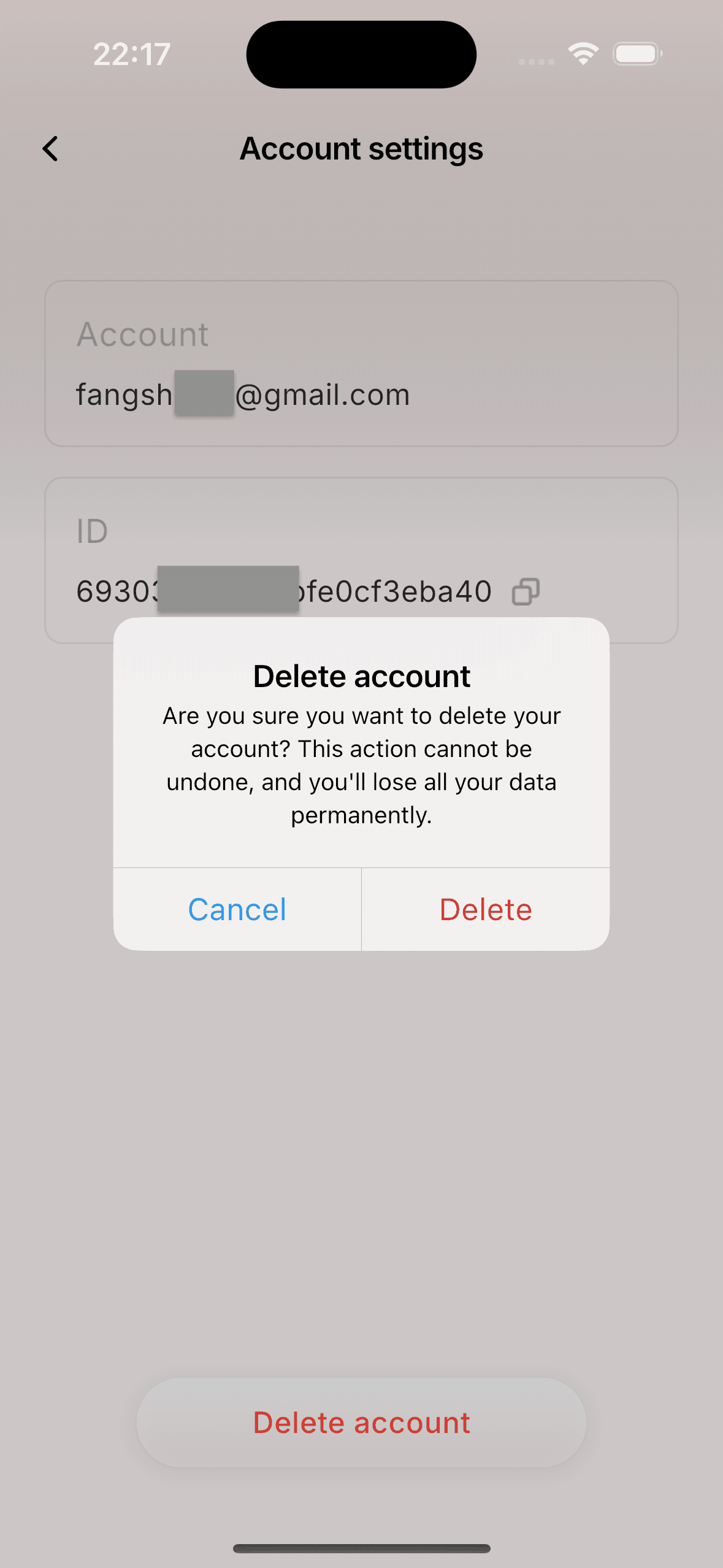
Step 3: Confirm Deletion
Confirm the action in the popup dialog. This will permanently remove your data.
Data Retention & Deletion Policy
- Account Data: Your profile information, email address, and preferences will be permanently deleted.
- User Content: Any locally stored content or cloud-synced data associated with your account will be removed.
- Retention Period: Once the deletion request is confirmed, data is typically removed immediately or within 30 days, depending on backup cycles.
- Exceptions: We may retain certain data if required by law or for legitimate business purposes (e.g., transaction records), as outlined in our Privacy Policy.
Contact Us
If you are unable to delete your account through the app, or if you have any questions, please contact our support team at:
contact@macaron.im